
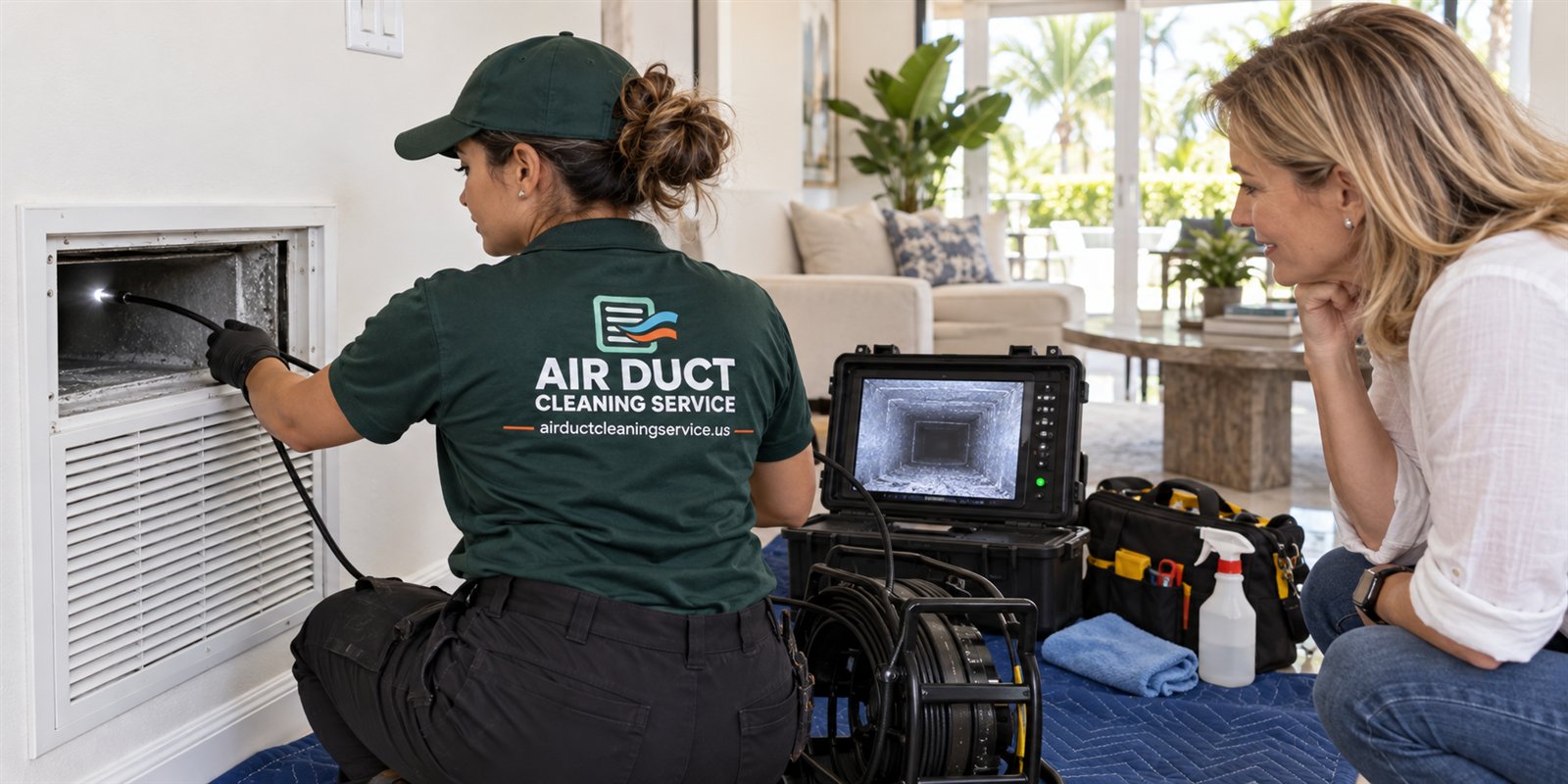
Why a home file for duct work is worth the effort
An air system in South Florida runs for a large part of the year, and over the life of a house it collects a history: filters changed or forgotten, a drain line that clogged once, a coil that was cleaned, a renovation that put dust into the returns, a storm that blew water into the attic. Almost none of that history is written down in most homes. It lives in a person's memory, and memory is a poor record when a house changes hands or a claim is filed.
A home file does not need to be elaborate. A single folder, on paper or on a phone, with dated items in it is enough. The goal is to answer four questions quickly: what was found, when, by whom, and what was done about it. If you can answer those from a folder in two minutes, you are ahead of nearly every owner.
The file also protects you from a common problem in the duct business, which is vague service. If a visit leaves you with nothing in writing and no photos, you have no way to tell later whether work was done, whether conditions changed, or whether a recommendation was reasonable. Records turn a one-time visit into evidence you can compare against the next one.
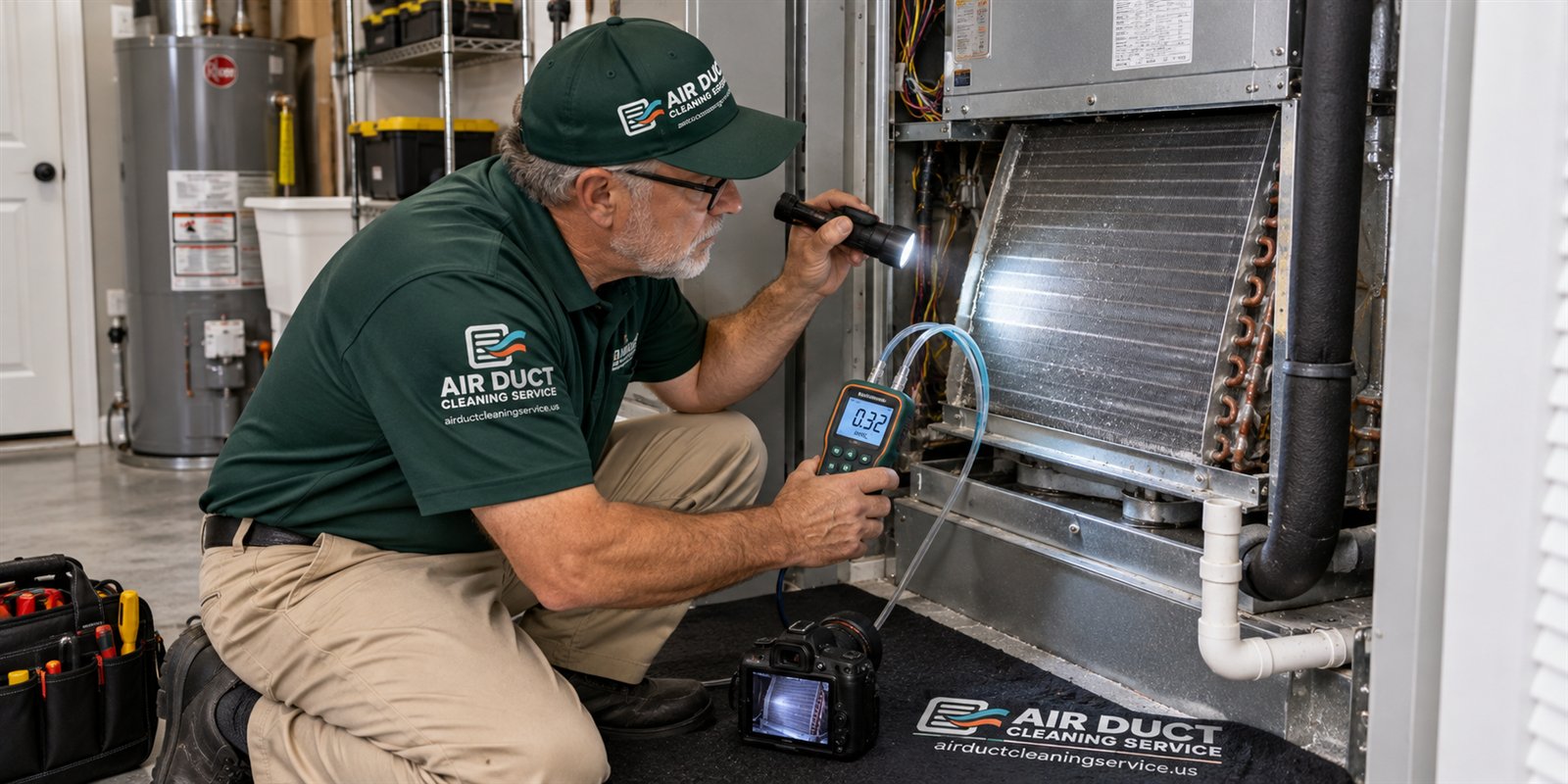
Finally, the file helps technicians. A person who arrives and is told that the system was inspected last spring, that the filter slot is on the left side of the air handler, and that the drain line was cleared after a leak can skip the guessing and go to the likely trouble spots. That saves time on site, and time on site is part of what a visit costs.
What belongs in the folder
Start with the items that have the most value later. The first is every written report from an inspection or cleaning visit, including any photos the technician took. If the company gave you a summary on paper or by message, save that exact copy. The second is receipts and invoices, which show the date, the address, what was done and what the service call involved. The third is your own photos, taken before and after any work, of the registers, the filter, the air handler area and the drain line.
Add the basics of the system itself. A photo of the nameplate on the air handler and the outdoor unit is worth more than people expect, because it carries the model and serial numbers a technician or insurer may ask for. Note the filter size, the location of the filter slot and the thermostat model. If you know the duct material in the attic, flexible, sheet metal or duct board, write it down. Our page on flex duct in Florida homes explains how to tell the difference.
Keep a short log of events that matter to the air system. Examples include a roof leak, a pest problem, a remodel, a hurricane or power outage, a period when the house sat empty, and any time the system iced up or leaked. These events explain why a condition appears later, and they are exactly what is missing when someone tries to reconstruct a history.
Do not fill the folder with things that do not help. Marketing flyers, product brochures you never read and duplicate copies of the same invoice only make it harder to find what matters. A thin folder that is accurate beats a thick one that is not.
- Written inspection and cleaning reports, exactly as received
- Invoices or receipts showing date, address and work performed
- Before and after photos you took yourself
- Photos of the air handler and outdoor unit nameplates
- A one-line note for every event that affected the system
How to name and organize photos so they stay useful
Photos are the heart of evidence-first work, and they are also the easiest thing to lose. A phone camera roll is not a record. Pictures get buried, deleted when the phone is replaced, or separated from the date and place they came from. Move the ones that matter into a dedicated folder and give them names that carry meaning.
A simple pattern works well: the date first, then the location, then what the photo shows. For example, a name might read as the date, then hallway return grille, then dust on louvers before. The date first means the files sort in order automatically. The location tells you which register or room. The last part tells you whether it is a before photo, an after photo, or something found during the visit.
Take photos the same way each time. Stand at the same distance, use the same light and include a recognizable reference such as the edge of the grille or the filter frame. Comparing two photos taken from different angles in different light tells you very little, while two matched photos taken months apart tell you a lot. If you want to understand what a good set of images looks like, read our page on photo documentation.
Back the folder up. A copy in a cloud account or on a second device is enough. The point is that a lost phone or a failed laptop should not erase the only proof of what the system looked like. Duct photos are small files, so storage is rarely a concern.
What to ask for at the end of every visit
The best time to build your file is while the technician is still there. Before the visit ends, ask for a few things in a polite, matter-of-fact way. Ask for the findings in writing, even if it is a short message. Ask for the photos taken during the inspection, and ask which ones show a problem and which show normal conditions. Ask what exactly was cleaned and what was left alone, and why.
If something was recommended, ask the technician to say whether it is urgent, advisable or optional, and what would be seen if it were left alone. A professional who works from evidence can answer this plainly. A person who cannot connect a recommendation to a photo or a measurement may be selling rather than diagnosing. Our guide to the written report lists what a useful one contains.
Ask what was not checked. Every visit has limits: an attic that was too hot to enter safely, a duct run with no access, a coil that could not be reached without removing a panel. A good report names those limits. You will want that sentence in your file, because it explains what a future visit might cover.
Finally, write down the date and the name of the person who came, and note the service call charge that was explained on the phone before dispatch. Quotes for larger work are given by phone, and complicated jobs need an on-site visit, so keep the details of what was agreed in the same folder as the report.
Records that help when you sell or buy a house
Buyers and their inspectors ask about the air system early, and answers on paper settle questions that otherwise turn into negotiation. A seller who can hand over a dated inspection report, photos of clean ducts and a note about the drain line has a story that is simple to believe. A seller who says the ducts were probably cleaned a while back has nothing to offer.
On the buying side, a file left by the previous owner is a gift. It tells you what the system has been through, which parts were serviced and which were not. If there is no file, you can start one on the day you move in. Our page on the home buyer duct guide explains what to check in the first weeks and what to photograph as a baseline.
Records also reduce disputes. If a buyer later claims the system was neglected, dated photos and reports show its real condition at the time of sale. If a seller claims a duct problem was already present, your move-in photos show what you inherited. In both directions, the value is that the facts were captured when they were fresh.
None of this requires the records to be perfect. Gaps are normal. What matters is that what you do have is honest, dated and easy to read, and that you do not alter or embellish it. A short, plain file is more persuasive than a polished one.
Records that help with insurance and storm events
After a storm or a roof leak, an insurer or adjuster asks what condition the home was in beforehand and what has changed. Duct and air handler records can help answer that, especially if water reached the attic or the equipment closet. Photos of the insulation, the drain pan and the register boots taken before the event are the strongest evidence you can have.
Be careful about what the records claim. Photos and notes show conditions, not causes. A stain on a ceiling near a vent might come from a roof leak, from condensation or from an old drip that dried years ago. Write down what you saw and when, and let the professionals determine the cause. Our page on duct cleaning and home insurance notes covers what to keep after an event and what to avoid saying in writing.
Do not assume that any record ensures a claim will be accepted. Policies differ, and decisions belong to the insurer. The value of your file is simply that it replaces guesses with facts, and that you can produce it without delay. If you have never had to file a claim, the folder will cost you nothing but a few minutes a year.
If an event does happen, add to the file straight away: the date, what you observed, who you contacted, what they said, and the photos. Rebuilding that account weeks later from memory is far harder than writing it down the same day.
A yearly rhythm that keeps the file honest
A file only helps if it stays current, and the easiest way to keep it current is a small, repeated habit. Choose a date each year, a birthday of the house, so to speak, and spend fifteen minutes on the air system. Check the filter and note its condition. Take matched photos of two or three registers and the filter slot. Look at the drain line outlet and the area around the air handler for stains or water. Write a line or two about anything unusual.
This habit pairs well with the changes of season in South Florida. Many owners do it at the start of the rainy season, when humidity rises and the system starts working harder, or after hurricane season ends. Our guide to the spring cleaning checklist for air systems gives a sequence you can follow, and you can save its result straight into the file.
Do not turn the habit into a fixed schedule of professional cleanings. Duct cleaning is not needed on a calendar. It is justified by evidence, which is exactly what your file builds. If the photos show a steady, light film year after year and the airflow is good, you have a reason to wait. If they show a change, you have a reason to ask for an inspection.
Keep the habit short enough that you will actually do it. A routine that takes fifteen minutes gets done. One that takes two hours gets skipped, and a skipped year is the very gap you are trying to avoid.
Sample entries and what a good line looks like
People hesitate because they are unsure what to write. The answer is to be specific and brief. A good entry has a date, a place, an observation and an action, and nothing else. A weak entry says the air seemed dusty. A strong entry says that on a given day, the master bedroom supply grille had a gray film on the louvers, the filter was dark on the intake side, and the filter was replaced the same day.
Another strong entry might read: after the roof was replaced, a fine gray powder was seen on the attic floor near the air handler platform and the technician photographed the return plenum seams. A third might read: the drain line was cleared by a technician after water appeared in the secondary pan, and the cause was a clog near the outdoor outlet. Each entry gives a future reader the fact, the date and the response.
Avoid claims you cannot support. Do not write that the air quality was bad, that mold was present, or that the ducts were filthy unless a professional documented it that way. Write what you saw. If you are not sure whether a dark spot is dirt, a stain or growth, say so, and photograph it. Our page on visible mold versus dust explains why that distinction matters and why only an inspection can settle it.
Keep your tone neutral. A file read by a buyer or insurer is more credible when it sounds like a log and not like a complaint. Short sentences, plain nouns and dates make the best entries.
| Entry part | Good example | Weak example |
|---|---|---|
| Date | A specific day | Last year sometime |
| Place | Hallway return grille | Somewhere in the house |
| Observation | Gray film on louvers, filter dark on intake side | Looked dirty |
| Action | Filter replaced, photos saved | Meant to handle it |
Privacy, sharing and what to hand over
Your file is yours, and you decide what to share. A technician needs the system details and recent history, not your receipts for unrelated work. A buyer needs the reports and photos, not your correspondence. An insurer needs what relates to the event. Keep the folder organized so that you can pull out the right pages without handing over everything.
Be mindful of what photos contain. A picture of the air handler closet might also show personal items, documents or a mailing label. Crop or retake it before sharing. Names, phone numbers and account details on invoices should stay out of any file you pass along publicly, and you can usually share a summary in place of the original.
When a company asks for access to your records, share what helps the visit and nothing more. If a salesperson asks to see your old reports and then uses them to push work that your own file shows is unnecessary, you have learned something about that salesperson. Our guide to red flags in duct cleaning offers lists other signs to watch for.
When you are ready to talk about a specific concern, call and have the folder open. Quotes are given only by phone, and the person on the line can tell you whether an on-site visit is needed. Having the nameplate photo, the last report and your recent notes in front of you makes that call short and productive.
Questions people ask
Do I really need to keep records for something as simple as ducts?
You do not need a perfect system, but a basic folder pays off quickly. It lets a technician start with facts, it gives buyers and insurers something concrete, and it shows whether conditions have changed over time. Even a few dated photos and one written report are far better than relying on memory when questions come up later.
What is the single most useful item to keep?
The written report from any inspection or cleaning visit, together with its photos, is the most useful item. It records what was found, what was done and what was left alone. If you only save one thing, save that, exactly as received, along with the date and the name of the person who visited.
How should I label my photos?
Put the date first, then the location, then what the photo shows, and note whether it is a before or after image. Date first keeps files in order automatically. Take photos from the same distance and in similar light each time so that two images taken months apart can be compared fairly and honestly.
Can my records prove an insurance claim will be paid?
No. Records show conditions and dates, but decisions about claims belong to the insurer, and policies differ. What a good file does is replace guesses with facts and let you respond quickly. Describe only what you actually saw, and leave the question of cause to the professionals who inspect the damage.
How often should I update the file?
A short yearly check, about fifteen minutes, is enough for most homes, with extra entries after any storm, leak, remodel or pest event. Duct cleaning itself should not follow a fixed calendar. The file simply gives you evidence to decide whether an inspection is justified, based on what the photos and airflow actually show.
What should I ask a technician to put in writing?
Ask for the findings, the photos taken, what was cleaned, what was left alone and why, and any limits such as inaccessible runs. Also ask whether each recommendation is urgent, advisable or optional. A clear written answer helps you compare future visits and tells you whether the advice was based on evidence.
Describe the situation by phone and we will tell you what the job involves. Quotes are given by phone. Jobs that cannot be quoted without seeing them need a technician on site, and the service call charge is explained on the phone before anyone is dispatched.
Related pages
- Photo Documentation: Before and after photos are only useful if they are honest. See what a good duct photo set contains, how it is labeled and how to spot a misleading one.
- Written Report: The sections, photos and plain-language findings a useful duct inspection report includes, and how to tell a real report from a sales sheet before you decide.
- Home Buyers: A buyer's guide to duct condition: what a standard home inspection covers, what to ask for, which signs matter and how to use findings in negotiation.
- Insurance Notes: General record-keeping notes on documenting duct and air system condition for insurance purposes, with no coverage claims and no advice on any specific policy.
- Mold or Dust: Dark spots on a register are often dust, not mold. Learn the visual and contextual clues that separate ordinary dust from suspect growth, and their limits.
- Leakage Signs: Dirt streaks, loose joints, gaps at boots and disconnected runs are the leak clues an inspector notes. See what they look like and why leaks come first.